How to Activate the IQOS Iluma One Kit

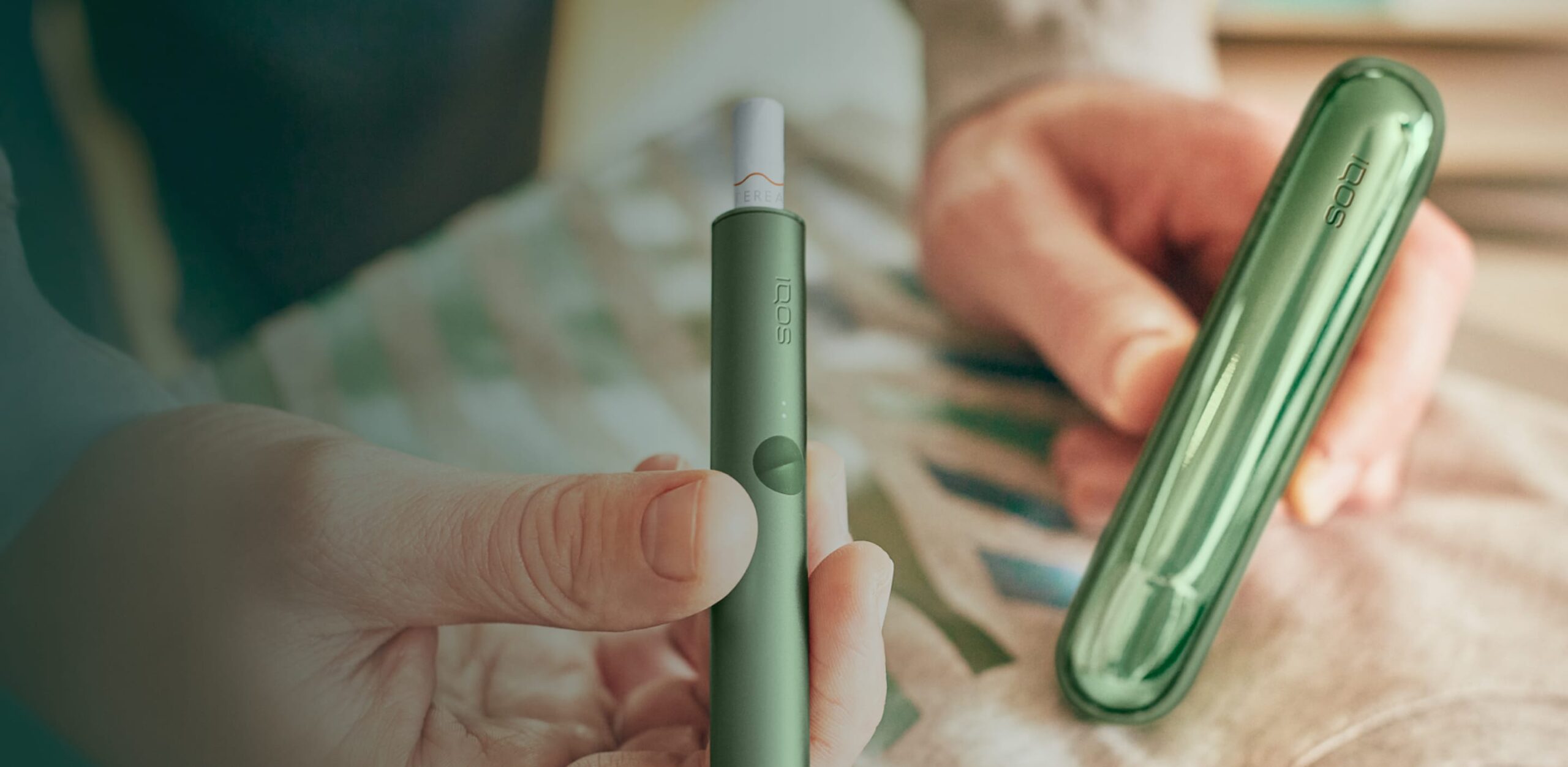
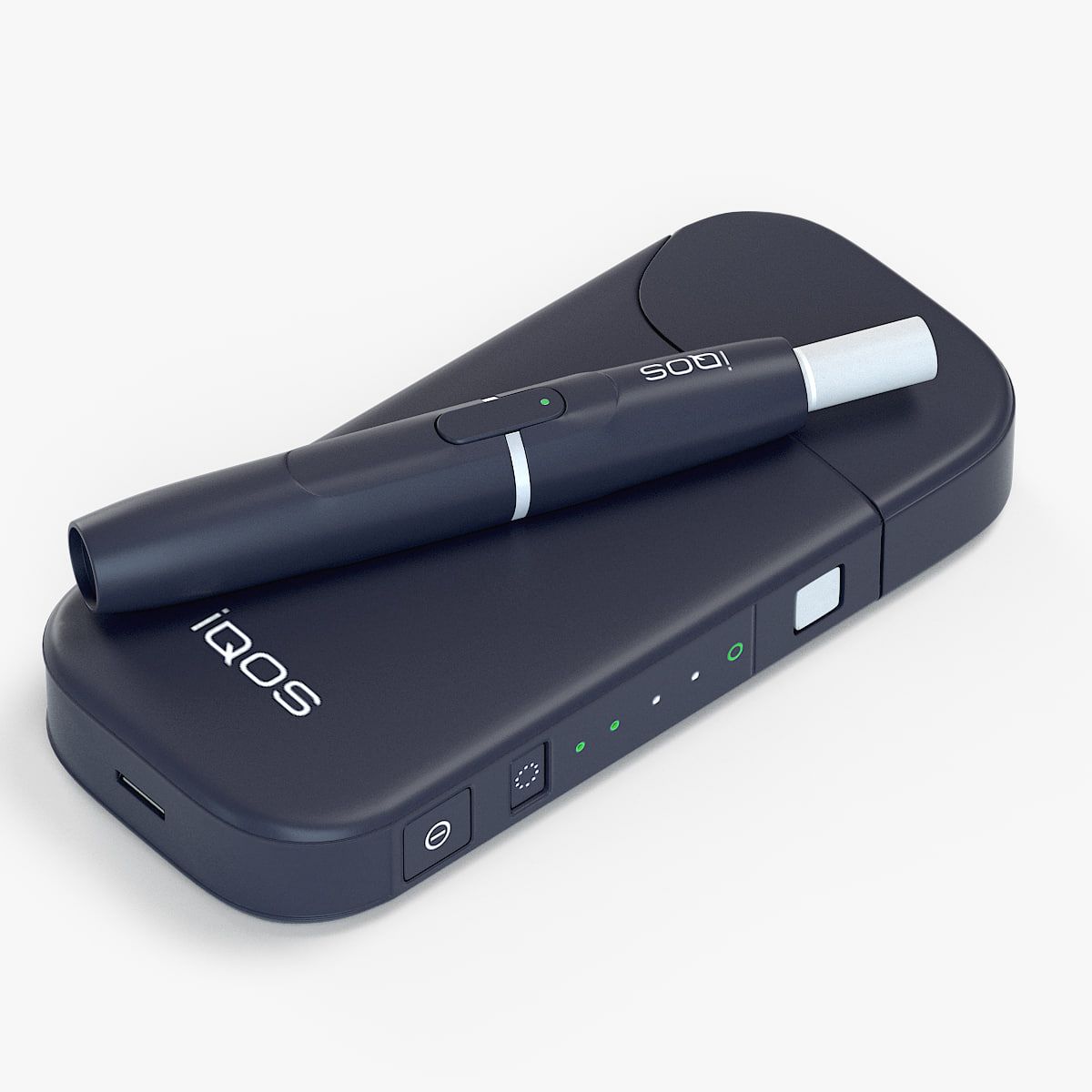
The IQOS Iluma One Kit is an all-in-one heated tobacco system designed with portability and simplicity in mind. It is compact, stylish, and user-friendly. The device works with specially designed tobacco sticks that are heated instead of burned. This process produces a tobacco vapor rather than smoke, reducing ash and eliminating combustion.
One of the main advantages of the IQOS Iluma One is its SMARTCORE INDUCTION SYSTEM technology. This system heats the tobacco from within using magnetic induction. Since there is no heating blade, users do not need to worry about blade breakage or difficult cleaning routines.
Before using the device, proper activation is necessary to ensure smooth performance and optimal battery life.
What Comes Inside the IQOS Iluma One Kit
When you open the package, you will typically find:
- IQOS Iluma One Device
- USB Type-C Charging Cable
- Power Adapter (in some regions)
- User Manual
- Cleaning Information Guide
Always check the contents carefully before setting up the device.
Step-by-Step Guide to Activate IQOS Iluma One Kit
Step 1: Charge the Device Fully
Before using the IQOS Iluma One for the first time, fully charge the battery.
How to Charge
- Connect the USB Type-C cable to the device.
- Plug the other end into a compatible power adapter or USB port.
- The LED lights on the device will start blinking.
- Wait until all indicator lights become solid white.
The first full charge may take around 90 minutes depending on the charging source.
Charging the device fully before first use helps improve battery performance and ensures uninterrupted sessions.
Step 2: Power On the Device
After charging, you can activate the device.
To Turn On IQOS Iluma One
- Press and hold the power button for about 4 seconds.
- The device will vibrate slightly.
- LED lights will turn on, indicating the device is active.
Once the lights remain steady, the device is ready for use.
If the device does not power on, try charging it for a few more minutes and repeat the process.
Step 3: Check Battery Status
Understanding the battery level is important before using the device.
Battery Indicator Guide
- 4 lights: High battery
- 3 lights: Medium battery
- 2 lights: Low battery
- 1 light: Very low battery
To check battery status:
- Briefly press the power button once.
- The LED indicators will display the remaining battery level.
A fully charged IQOS Iluma One can typically support multiple sessions before requiring another recharge.
Step 4: Insert the Tobacco Stick
The IQOS Iluma One works only with compatible tobacco sticks designed for the ILUMA series.
How to Insert Properly
- Remove a tobacco stick from the pack.
- Gently insert it into the device.
- Insert the stick up to the filter line without twisting too hard.
Because the device uses induction heating technology, there is no blade inside. This makes insertion easier and reduces the risk of damage.
Step 5: Start Heating
After inserting the tobacco stick:
- Press and hold the button for around 1 second.
- The device will vibrate and begin heating.
- Wait for another vibration indicating the device is ready.
The heating process usually takes about 20 seconds.
Once ready, you can begin using the device.
How Long Does a Session Last?
A standard IQOS Iluma One session usually lasts:
- Around 14 puffs
- Or approximately 6 minutes
The exact duration depends on usage style and puff frequency.
When the session is nearly over, the device will vibrate again, giving you a warning that only a few puffs remain.
How to Turn Off IQOS Iluma One
To switch off the device:
- Press and hold the power button for 4 seconds.
- The lights will fade off.
- The device is now powered down.
Turning off the device when not in use helps preserve battery life.
Important Tips for First-Time Users
Use Compatible Tobacco Sticks Only
The IQOS Iluma One is designed specifically for ILUMA-compatible tobacco sticks. Using non-compatible products may damage the device or prevent proper heating.
Keep the Device Charged
Avoid letting the battery drain completely on a regular basis. Frequent full battery depletion can shorten long-term battery health.
Store in a Cool and Dry Place
Extreme heat, direct sunlight, or moisture may affect performance. Keep the device in a safe environment for longer durability.
Avoid Forceful Insertion
Do not push tobacco sticks aggressively into the device. Gentle insertion is enough because the device does not use a blade heating system.
Common Activation Problems and Solutions
Device Not Turning On
Possible causes:
- Battery completely drained
- Charging issue
- Power button not held long enough
Solution
- Charge for at least 20 minutes
- Try another charging cable or adapter
- Hold the button firmly for 4 seconds
Device Not Heating
Possible causes:
- Incompatible tobacco stick
- Device temperature issue
- Low battery
Solution
- Use only ILUMA-compatible sticks
- Recharge the device
- Restart the device and try again
Flashing Lights
Flashing lights can indicate:
- Battery problems
- Device overheating
- System error
Solution
- Let the device cool down
- Fully recharge it
- Restart the device
If problems continue, professional servicing may be required.
Advantages of IQOS Iluma One
The IQOS Iluma One Kit offers several benefits compared to traditional smoking and older heated tobacco systems.
Blade-Free Technology
The induction heating system removes the need for fragile blades, making the device more reliable.
Easy Maintenance
Since tobacco is heated internally, residue buildup is reduced and manual cleaning becomes less frequent.
Compact Design
The slim and lightweight design makes it easy to carry in pockets or bags.
Fast Heating
The device heats quickly, allowing users to begin sessions within seconds.
Modern Appearance
The IQOS Iluma One comes in several stylish colors and features a sleek modern look.
Safety Precautions
When activating and using the IQOS Iluma One, keep the following safety tips in mind:
- Do not expose the device to water.
- Keep away from children and pets.
- Use original charging accessories whenever possible.
- Do not attempt to open or repair the device yourself.
- Avoid using damaged charging cables.
Following these precautions can help maintain device safety and performance.
Final Thoughts
The IQOS Iluma One Kit is designed to provide a simple, modern, and user-friendly heated tobacco experience. Activating the device is quick and straightforward. By charging it properly, powering it on correctly, and using compatible tobacco sticks, users can enjoy smooth and reliable performance from the very first session.
Its blade-free SMARTCORE induction technology, compact design, and easy maintenance make it one of the most convenient heated tobacco devices available today. Whether you are new to heated tobacco products or upgrading from an older IQOS model, understanding the activation process ensures you get the best possible experience from your IQOS Iluma One Kit.